ccmux
Claude Code Multiplexer — manage multiple Claude Code instances in TUI split panes.
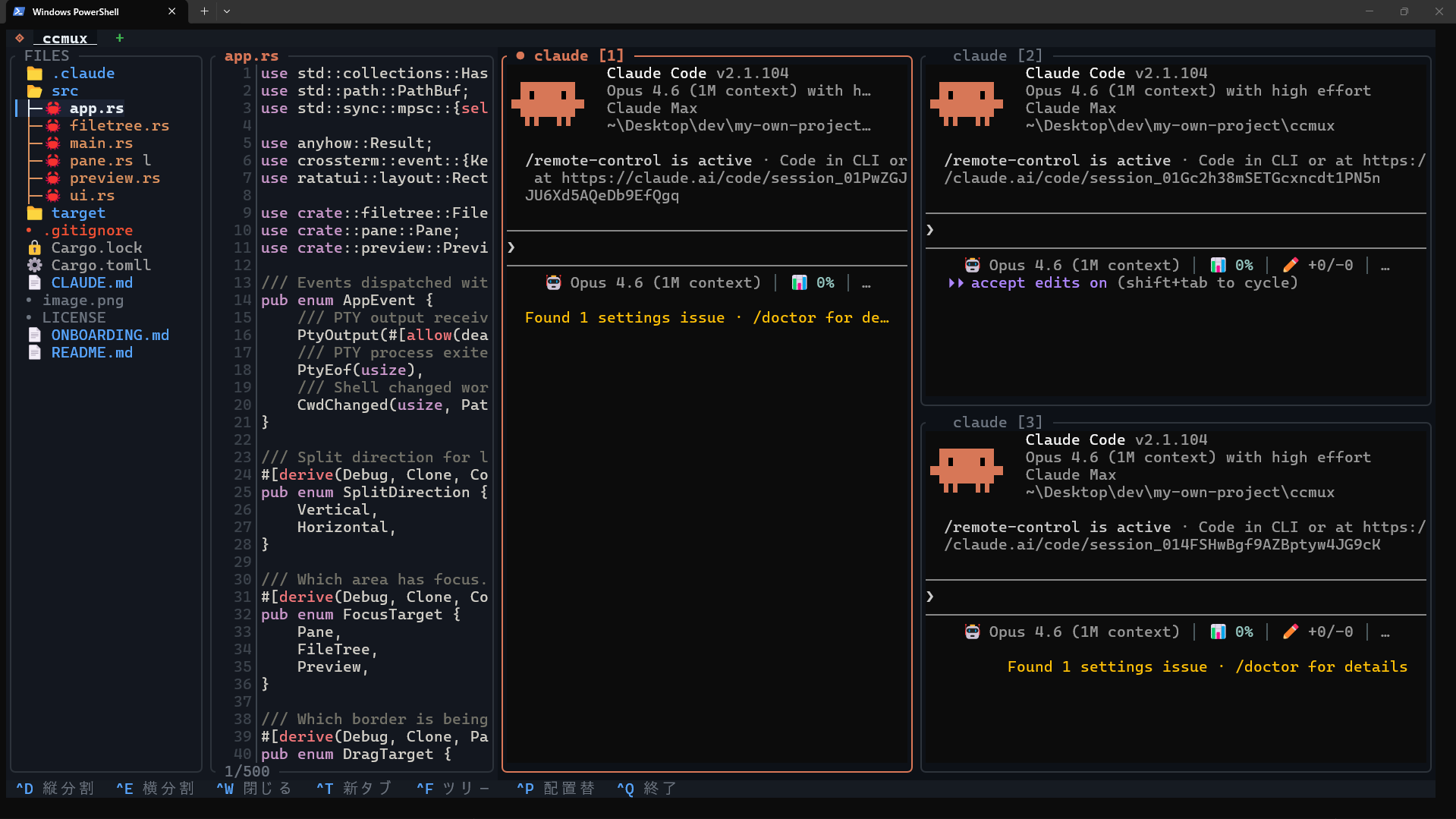
What is ccmux?
ccmux is a lightweight terminal multiplexer built specifically for running multiple Claude Code sessions side-by-side. Think of it as tmux, but designed around the Claude Code workflow.
Why ccmux?
- Run multiple Claude Code agents simultaneously in split panes
- See your project files with syntax-highlighted preview while coding
- Stay in the terminal — no editor needed, just your shell and Claude
- Blazingly fast & lightweight — single ~2MB binary, 0.5s startup, ~0% idle CPU
- Built in Rust — zero-allocation cell rendering, dirty-flag diff updates, PTY resize caching
Quick Start
npm install -g ccmux-cli
ccmux
Once running, type claude in the terminal pane to start Claude Code.
Key Features
- Multi-pane splits — Vertical and horizontal, up to 16 panes
- File tree + preview — Browse and preview files with syntax highlighting
- Tab workspaces — Independent workspaces per tab
- Claude detection — Pane border turns orange when Claude is running
- Text selection — Drag to select, auto-copy to clipboard
- Scrollback — 10,000 lines of history per pane
Learn Claude Code
Want to learn Claude Code systematically? Check out Claude Code Academy.
Last updated on